
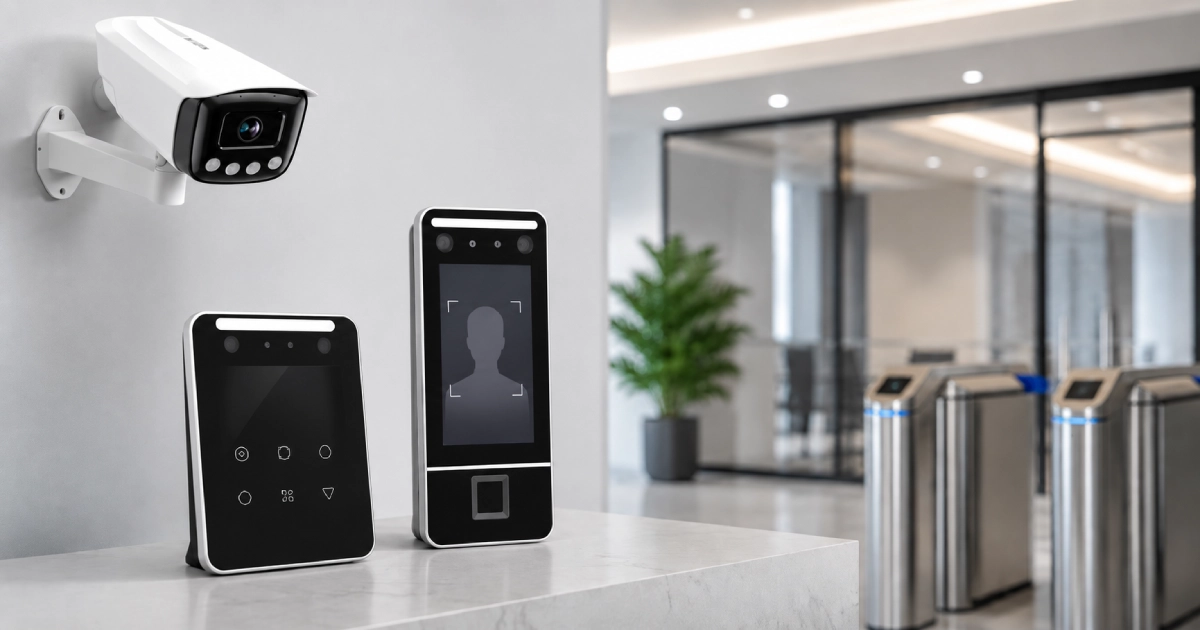
| KEY TAKEAWAYS: Choosing the right attendance camera starts with three non-negotiables: software integration, liveness detection, and local vendor support. Resolution and recognition speed matter, but a camera that does not sync with your payroll system creates more work than it eliminates. Hardware without liveness detection opens the door to time fraud. A vendor with no local presence means extended downtime when something fails. Your final choice depends on the workplace environment, entry traffic, and headcount. |
Most businesses get this decision wrong the same way. They compare camera prices, pick the cheapest model with a recognizable spec sheet, and spend the next two years dealing with inaccurate logs, payroll disputes, and a vendor who stopped returning calls.
The right attendance camera for business does not just record who walked through the door. It feeds clean data into your payroll system, flags anomalies in real time, and scales without friction as your team grows.
Knowing how to choose an attendance camera means evaluating your environment, integration needs, and accuracy requirements before you look at a single product page. That is exactly what this guide does.
Steps to Consider Before Buying an Attendance Camera
Step 1: Define Your Use Case and Environment
Clear evaluation begins with the physical installation site. A corporate reception desk in Karachi has different demands than a factory gate in Faisalabad. Pinpoint your exact location and conditions before opening a single product catalog.
Ask yourself three things. Where will the camera be mounted? How many people pass through per hour? What are the lighting conditions at that specific point throughout the day?
A high-traffic factory entrance needs rapid multi-face detection and compatibility with safety helmets and face shields. A small office entry point needs a compact device with clean CCTV-based attendance functionality and direct HR sync. If you skip this step, every other decision that follows is guesswork.
For clarity on which device type best suits your environment, read our comparison of CCTV and biometric attendance before moving forward.
Step 2: Compare Hardware Specifications That Actually Matter
Vendor spec sheets are optimistic. Test the numbers that affect your specific conditions, not their best-case lab results. High-resolution lenses improve face-matching accuracy at longer distances. Dual-spectrum infrared sensors maintain registration precision during night shifts and in poorly lit entry points. Fast processing speeds prevent queues from forming at high-traffic gates during shift changes.
Liveness detection filters out fraudulent entry attempts using printed photos or video replays. This is non-negotiable for any site where time fraud is a risk. Do not buy a camera without it. For independent performance benchmarking, review the latest findings from the NIST Face Recognition Technology Evaluation (FRTE) Program.
The field of view determines how much of your entrance the camera covers without repositioning. Mask, glasses, and PPE compatibility are critical for industrial sites. OSHA identifies hard hats, respirators, face protection, and other PPE as standard workplace safety equipment, making reliable recognition under partial facial occlusion an important evaluation factor.
Step 3: Prioritize Software Integration Above Hardware Specs
A camera with outstanding recognition accuracy that cannot connect to your payroll software is a glorified door log. Integration is the single most important factor that most buyers undervalue.
Confirm API availability before purchase. Your attendance camera for business must push data directly into your HRMS or payroll system without manual exports. Every manual step introduces human error.
On-device processing works without an active internet connection. Cloud-based processing delivers stronger analytics and remote dashboard access. Choose based on your site’s connectivity reliability.
Real-time alerts and manager dashboards give HR visibility without waiting for end-of-day reports. Multi-location data sync is essential for businesses operating across multiple sites simultaneously.
Businesses that skip integration end up with two parallel systems that never agree. HR reconciles the gap manually every pay cycle. That reconciliation is where payroll errors enter. Integration eliminates the gap.
Step 4: Verify Accuracy Benchmarks Against Your Real Conditions
Two numbers define accuracy in AI face recognition systems. False acceptance rate measures how often the wrong person gains entry. The false rejection rate measures how often the right person is blocked.
You need both numbers to be low. A low false acceptance rate with a high false rejection rate creates long queues and frustrated employees. A high false acceptance rate creates a security gap. Push vendors for both figures, not just one.
The National Institute of Standards and Technology publishes independent biometric accuracy benchmarks for face recognition vendors. Cross-reference vendor claims against NIST data before committing.
Pakistani industrial sites deal with high heat, airborne dust, and humidity fluctuations. These conditions degrade camera lens performance over time. Demand field-tested accuracy data from environments comparable to yours. Lab results are not a substitute.
Step 5: Plan for Growth Before You Buy
A camera that handles your current headcount but hits its ceiling within 18 months is the wrong camera. Buy for where your workforce is going, not where it is today.
Confirm maximum employee template capacity with a meaningful buffer above your current team size. Ask vendors directly about firmware update schedules. A camera that stops receiving updates stops improving and eventually falls out of pace with spoofing techniques.
Check whether the system supports modular expansion. The ability to add access control, smart security gates, or turnstiles through the same platform later significantly reduces your future procurement complexity.
Local warranty coverage and on-the-ground support availability matter more than most buyers realize at the point of purchase. They matter enormously on the day something fails.
Step 6: Evaluate True Cost of Ownership
The purchase price is the smallest part of the cost conversation. Generic cameras without local vendor support require a full replacement when they fail. Quality devices from supported vendors get repaired.
Break down three figures before deciding. Calculate the upfront hardware cost across comparable specifications. Add any recurring software or cloud subscription fees on an annual basis. Estimate realistic replacement and downtime costs if the device fails in year two.
In the Pakistani market, the total cost of ownership for a quality attendance camera for business over three years consistently undercuts the cumulative cost of cycling through two or three cheaper replacements. The math is rarely close.
Step 7: Address Data Privacy Before Deployment
Biometric data belongs to your employees. Your responsibility for it begins the moment the camera goes live.
Inform employees about data collection before the system activates. Get written consent. Confirm how biometric templates are stored. Encrypted on-device storage is the safest approach. Unprotected cloud transfer is a liability you do not want.
Establish who within your organization can access, export, or delete attendance records. Data privacy in access control is a legal and reputational issue. Set clear internal policies before the first employee scans in.
Attendance Camera Selection by Business Type
The right hardware depends on your operation. Use this table to identify the best-fit camera category for your business type.
| Business Type | Recommended Camera Type | Why It Works |
|---|---|---|
| Office | AI face recognition camera with payroll integration | Fast contactless flow, syncs directly to HR software |
| Factory or Industrial site | Dual-spectrum IR camera with PPE and mask compatibility | Stays accurate in dust, heat, and low light conditions |
| School or University | Multi-face detection camera with cloud dashboard | Handles bulk entry fast and delivers real-time reports |
| Hospital or Clinic | Contactless camera with hygiene-grade design | No-touch operation, shift tracking, high accuracy |
| Warehouse or Logistics | Ruggedized outdoor camera with night vision | Built for harsh conditions and around-the-clock uptime |
| Retail or Branch Network | Cloud-based camera with multi-location sync | Centralizes attendance data across all sites |
Common Mistakes Businesses Make When Choosing an Attendance Camera
Most purchasing errors follow predictable patterns. These six are the ones that cost businesses the most.
Buying on Price Alone: A low upfront number masks what you actually pay over 36 months. Replacements, inaccurate payroll data, and downtime during peak hours carry real financial costs. Calculate ownership cost, not purchase cost.
Ignoring Camera Placement: A technically capable camera installed at the wrong angle, height, or distance will underperform regardless of its specifications. Plan the physical installation point before the procurement decision, not after.
Skipping Capacity Checks: Some devices cap employee templates or delete older records after a set period. Confirm both limits against your headcount and your audit retention requirements before signing off.
Overlooking Payroll Integration: Attendance data that lives in the camera and nowhere else is not an asset. It is administrative work. Your system must automatically push clean data into your payroll software. Manual exports eliminate the device’s value.
Skipping the Privacy Process: Deploying biometric capture without a formal employee consent process is an avoidable risk. Do the paperwork first.
Choosing a Vendor With No Local Presence: This is the mistake buyers regret most. When a device fails at a critical entry point during the morning shift, you need someone on-site or on the phone within hours. A vendor with no presence in your city cannot deliver that. Prioritize local support as a non-negotiable, not an optional bonus.
Frequently Asked Questions
Is an AI CCTV camera better than a fingerprint device for factories?
For most factories, yes. AI cameras handle masks, gloves, and safety equipment without any physical contact. Fingerprint devices struggle in industrial settings where hands are frequently dirty, wet, or covered. Camera-based systems also process larger groups faster at high-traffic gates during shift changes.
How many employees can one attendance camera handle?
Entry-level cameras typically support 500 to 1,000 employee templates. Enterprise-grade units handle 10,000 or more. Confirm template capacity and data retention limits with your vendor before purchase, particularly if your headcount is growing.
Does it work with masks, PPE, and gloves?
Quality AI attendance cameras with current recognition models support mask and partial-face detection. Confirm the specific model’s PPE compatibility before buying, especially if workers wear full-face shields or industrial helmets. Not all cameras handle occlusion with the same level of accuracy.
Is facial recognition attendance safe for employee data?
It is, when implemented correctly. Look for on-device encrypted storage and clear data retention policies. Pair deployment with a written employee consent process. In most cases, the risk comes from poor vendor data practices, not from the technology itself.
Final Recommendation: What Makes the Right Attendance Camera?
Three things matter above everything else. Integration with your payroll system. Liveness detection that eliminates time fraud—a vendor with local support you can reach when it counts.
After those, evaluate your environment honestly. A camera that performs well in a controlled office will not automatically perform well on a factory floor with poor lighting and workers in full PPE. Verify the accuracy of the data from conditions that match yours.
Plan for your headcount 24 months from now. A device that hits its ceiling before your next hiring cycle forces a premature replacement decision that costs far more than buying right the first time.
Explore attendance and access control solutions, or contact the team for a site-specific recommendation. Tell them your location, headcount, and environment. They will tell you exactly what fits.