

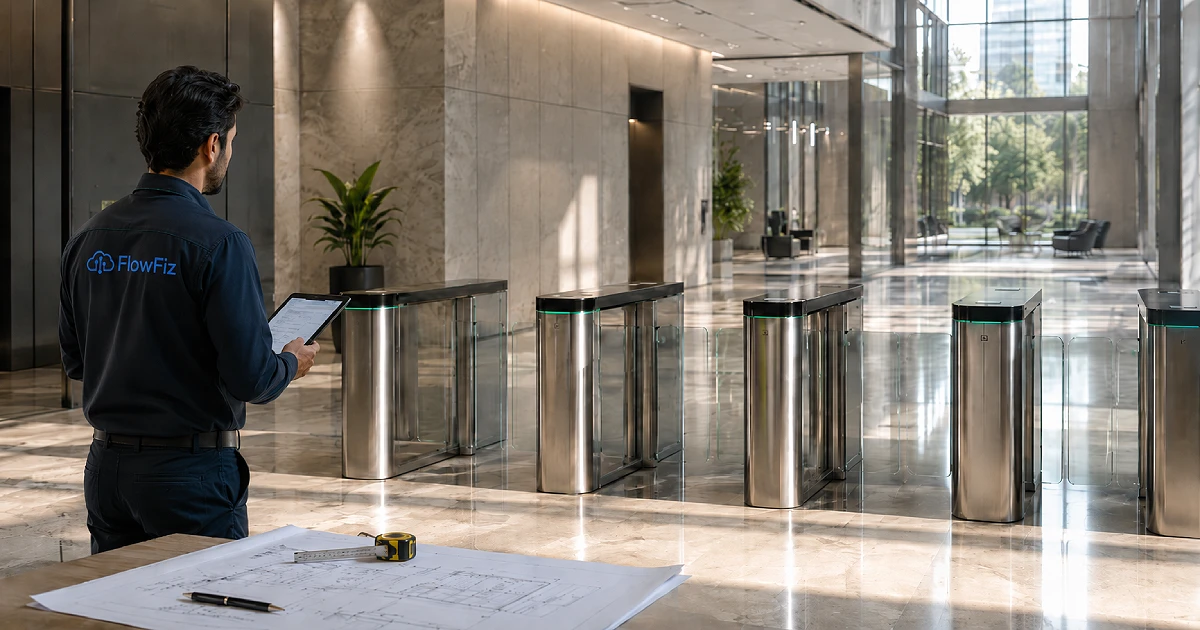
| Quick Answer: Most businesses buy security hardware online only to realize it does not fit their doors. A professional FlowFiz site survey solves this problem before you spend money. Our technical team checks your physical layout to ensure you get the perfect system. |
Why the Right Security Solution Starts With a Site Survey
Every business premises has a unique physical layout and specific security demands. FlowFiz never recommends a product without first evaluating your actual workplace. This physical check saves your business from wasting money on incorrect hardware.
Selecting equipment without a proper evaluation leads to serious operational issues later. Companies often face poor camera angles or scanners that fail under bright lights. Buying the wrong system disrupts your daily operations and causes unnecessary stress.
Industry security frameworks such as those published by ASIS International, a global authority on physical security standards, emphasize the importance of structured access control planning before deployment. This reinforces why a site survey is a critical first step in any modern security system.
FlowFiz Site Survey Checklist: How Our Team Works
Our technical team follows a strict process to evaluate your workplace before recommending hardware. We look at everything from physical entry points to your current network setup. This careful planning ensures your new workplace access control system works perfectly.
Step 1: Understanding Your Business Operations
We begin by studying how your business operates daily. Our team notes the total number of employees, regular visitors, and external contractors. We analyze peak entry times to prevent crowd buildup at your main entrance.
Our technicians discuss your current attendance problems, such as buddy punching or missing manual records. Understanding these pain points helps us determine if you need advanced biometric attendance devices. We ensure the solution matches your daily operational flow.
Step 2: Mapping Entry Points and Movement Flow
Our team walks through your building to map out every single entry point. We inspect main reception areas, staff-only doors, and restricted inventory rooms. Separate zones are planned for warehouse areas or factory floors where safety is a priority.
Emergency exits receive special attention to ensure compliance with local safety laws. We track how deliveries and visitors move through your building. This mapping helps us place smart security gates exactly where they are needed most.
Step 3: Checking Current Attendance and Access Control Setup
We examine your existing tools to see what can be reused or upgraded. Many businesses still rely on paper registers, manual Excel sheets, or old proximity cards. We check your current door locks and existing HR software to plan a smooth transition.
Outdated systems leave data gaps that hurt business productivity. According to industry studies by organizations such as the Society for Human Resource Management, automated tracking significantly reduces payroll errors. We identify these administrative gaps to build a more reliable system.
Step 4: Identifying the Right Verification Method
Different areas in your building may require different ways to verify identity. We evaluate whether your team will benefit most from fingerprint attendance machines or face recognition systems. Some zones might work better with simple RFID cards, MF cards, or dynamic QR codes for guests.
High-security zones often require multi-factor authentication to protect sensitive assets. We also look at how CCTV attendance systems can add an extra layer of visual security. The goal is to make verification quick for staff but highly secure against intruders.
| Device Type | Best For | Security |
| Face Scanner | High traffic areas | High |
| ID Cards | Temporary guests | Medium |
| Fingerprint | Regular office staff | Medium |
Step 5: Reviewing Door, Gate, and Barrier Requirements
Physical barriers must match both your security goals and traffic volume. We determine which interior doors need electronic locks and where tripod turnstiles make sense. Busy lobbies often require sleek flap barriers to manage crowds without slowing people down.
We recommend swing barriers for locations that require wheelchair access or large delivery clearances. For industrial sites requiring the highest security, we determine whether full-height turnstiles are needed. The physical structure must match your daily traffic numbers.
Step 6: Checking Power, Cabling, and Network Readiness
Even the best digital hardware is useless without stable power and data connections. Our team locates available power sources near every planned installation point. We check your local LAN infrastructure and internet speed to ensure stable data transmission.
We map out safe cable routes to protect your wires from weather or accidental damage. Our technicians evaluate backup power options to prevent system downtime during electrical outages. We also help you choose between a local server setup and a modern cloud-based system.
Step 7: Studying the Environment Where Devices Will Be Installed
Environmental factors greatly impact how well electronic sensors perform over time. We check if your devices will be exposed to outdoor rain or indoor air conditioning. Bright afternoon sun or dim hallway lighting can affect how facial recognition devices read users.
Industrial environments often contain heavy dust, high heat, or moisture that can damage standard electronics. We measure mounting heights to ensure comfortable use for all your employees. Proper spacing is planned around each device to avoid tight queues.
Step 8: Checking Integration Requirements
A security system works best when it communicates with your other business tools. We check if your new hardware needs to sync directly with your current HR software. Connecting the hardware to your payroll system eliminates manual data entry errors.
We configure your access control dashboard so managers can easily view real-time data. If you use security cameras, we can explore options for CCTV attendance integration. This connects your visitor logs and staff management into one single platform.
Step 9: Reviewing Data Security and Privacy Needs
Protecting employee information is just as important as locking your physical doors. We discuss who in your company will have permission to view attendance logs. Our team ensures that your fingerprint devices store biometric templates utilizing secure encryption standards.
We set up clear admin roles so only authorized managers can alter system settings. Secure storage protocols are planned to protect your historical reports from digital leaks. Keeping data safe helps your business stay compliant with modern privacy guidelines.
Step 10: Understanding Reporting and Management Needs
Different management teams require different types of data insights. We customize the system to generate daily attendance summaries automatically. The software can flag late arrivals, early exits, or unexplained absences for HR review.
One can sort reports by particular departments or several branch offices. We make sure visitor logs are easy to search during security audits. Real-time monitoring screens give your management team an instant view of who is currently inside the building.
Step 11: Planning for Future Expansion
Your security system should be able to grow alongside your business. We design the layout so you can easily add more doors to the network later. If you open new branches across Pakistan, the system can connect them to your central office.
We make it simple to scale up from basic attendance tracking to a complete workplace access control setup. You can upgrade from older fingerprint scanners to touchless face recognition devices without replacing your entire network. Your investment remains protected as your business scales.
Step 12: Matching the Right FlowFiz Solution to the Site
After gathering all this physical data, we select the ideal hardware combination. We only suggest biometric Attendance devices if your specific environment supports them. Our recommendations are based on facts collected during our walk-through.
We explain why a particular smart gate or camera suits your budget and security goals. You receive a custom plan tailored exactly to your building layout. This objective approach removes all guesswork from your security purchase.
What You Should Prepare Before a FlowFiz Site Survey
To help our technical team work quickly, you can gather a few details before we arrive. Having this information ready allows us to design your system faster.
- An accurate employee count and detailed shift schedules
- A basic floor plan or architectural layout of your building
- A quick summary of your current attendance tracking process
- A list of your main security concerns and restricted areas
- Your current HR or payroll software names for integration checking
Why FlowFiz Does Not Recommend the Same Solution for Every Business
A small commercial office usually only needs a single workplace access control device on the front door. However, a large factory requires turnstiles, multi-shift scheduling, and strict zone restrictions. Corporate headquarters often need a mix of face recognition, visitor management, and direct HR integration. High-security areas require layered digital access to keep data safe.
Frequently Asked Questions
How long does a site survey usually take?
A standard FlowFiz site survey for a regular office usually takes about one hour. Larger industrial facilities or multi-story corporate buildings can take a few hours to inspect fully.
Do small offices need a site survey?
Yes, small offices benefit greatly from a physical check. We ensure your glass doors can support electronic locks and that your Wi-Fi signal is strong enough for the devices.
Does FlowFiz recommend fingerprint or face recognition after the survey?
It depends entirely on your workplace environment. We recommend touchless face recognition for high-traffic zones and standard fingerprint scanners for clean office environments.
Can FlowFiz solutions integrate with HR or payroll software?
Yes, our modern systems connect directly with the most popular HR platforms. This integration automates your payroll calculations and removes the need for manual data entry.
Final Recommendation
The ideal security setup depends on your building layout, employee numbers, and future business plans. FlowFiz serves as your consultative partner, guiding you through the entire selection process. We help you avoid costly purchasing mistakes by checking every detail before you buy.
Ready to secure your workplace with confidence? Contact us today to book your professional FlowFiz site survey. Our technical team will help you find the perfect system for your business.