

Do you know who is inside your building right now?
Most business owners cannot answer that with confidence, and that gap is more costly than most realize.
As a CEO, HR leader, or entrepreneur, protecting your people, assets, and data is non-negotiable. If someone walks into your office without permission, what stops them? A lock? A security guard? What if they already have a key card from months ago?
This is a real problem, and it happens every day.
An Access Control System solves that problem directly. It gives you complete authority over who enters your facility, which areas they can access, and when they can do it. This guide covers what an Access Control System is, how it works, and why every modern business needs one.
What Are Access Control Systems?
An Access Control System is a security solution that manages and restricts entry to a building, office, or any designated area within a facility.
Rather than relying on physical keys, the system manages identity and access by verifying each person’s credentials before allowing access. This process is called authentication, and it happens in real time, every time someone approaches a door.
Common ways people verify their identity include:
- Keycard access using RFID cards or smart fobs
- PIN codes on a keypad
- A smartphone app uses biometrics
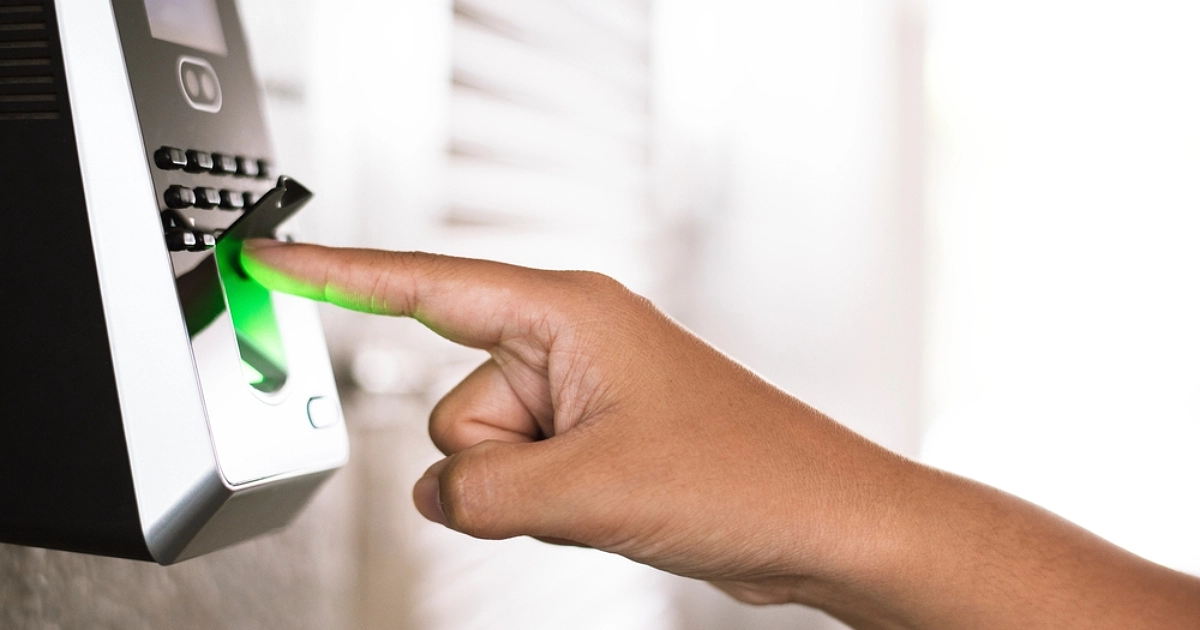
- A biometric device that scans fingerprints or a face
Once credentials are verified, access is either granted or denied immediately. Then every interaction is logged automatically, without any manual work. The log provides your staff with a clear and trustworthy record of every entrance by including the person’s name, the door used, and the precise time.
For company executives, this provides one crucial result: complete, real-time insight into who is present on your premises at any given time.
How Does an Access Control System Protect Your Business?
The main purpose of an Access Control Devices is simple. It ensures only the right people enter the right areas at the right time, while keeping a clear and complete record of every interaction.
This is the foundation of safe entry for every business.
It is built on three goals.
1. Blocks unauthorized entry: Anyone without valid credentials gets denied. This includes both external and internal threats.
2. Enforces boundaries by role: Not everyone needs to go everywhere. For example, a junior staff member does not need access to the server room. The system enforces this automatically. No one has to stand at the door and check.
3. Keeps a permanent record: Every access attempt, whether approved or denied, leaves a permanent record behind. In turn, that record becomes the backbone of any serious access management strategy.
Without these functions in place, your business is running on trust alone. Trust is not a security policy.
How Does an Access Control System Work?
The process is straightforward and takes less than a second to complete. It follows four simple steps:
- Identify: The person presents their credential, a card tap, a PIN, a fingerprint, or a phone.
- Authenticate: The system then checks whether the credentials are valid and on record.
- Authorize: Next, even with a valid credential, the system confirms: Does this person have permission to enter this area right now?
- Log: Finally, the outcome is recorded with a timestamp, whether the door opened or stayed locked.
This four-step procedure distinguishes a real access control system for Business from a simple electronic door lock.
Key Components of an Access Control System
To make a smart purchase, it helps to know what you are actually buying. Here is what every system is built from:
Credentials: What a person uses to request entry, including key cards, PIN codes, phone apps, and biometric reader devices. High-risk areas often combine two types for stronger protection.
Readers and Scanners: Devices mounted at each door that read credentials and send the data to the control panel.
Access Control Panel: The brain of the system. The door controller checks the database and sends the command to lock or unlock.
Electronic Locks and Barriers: The physical layer consists of smart security gates for high-traffic entrances, electric strikes, and magnetic locks.
Access Management Software: The daily dashboard gives HR full control over adding employees, setting permissions, and removing users. A built-in visitor system lets front desk staff safely log guests.
Audit Logs and Reporting Tools: Effective tracking relies on searchable data organized by person or timestamp. Regulated industries still require these logs to identify problems within any work setting.
Types of Access Control Systems
Not every business has the same security needs, so there are three primary models worth understanding.
Mandatory Access Control (MAC)
Mandatory Access Control is a model where a central authority sets all the rules, and no one can override them. It’s common in government agencies and industries with strict clearance requirements; maximum control, minimum flexibility.
Discretionary Access Control (DAC)
Discretionary Access Control gives the owner the power to choose who can access their resources on a case-by-case basis. For small teams, it’s simple but grows progressively harder to operate consistently as the firm expands.
Role-Based Access Control (RBAC)
Role-Based Access Control links authorizations to job responsibilities rather than individuals. Consequently, access changes automatically when someone switches roles or leaves. For most growing businesses, this is by far the most sensible and scalable approach.
Why Do Businesses Need Access Control Systems?
Internal theft and unauthorized access cost businesses millions each year. Most cases go undetected simply because no tracking system exists. The cost of one serious incident almost always exceeds the full cost of a proper setup. Here is what the right access control system for business delivers.
Enhanced Security
A physical key can be copied or lost without your knowledge. In contrast, a digital credential from a secure access system is deactivated in seconds, and every unauthorized attempt is flagged immediately.
Operational Efficiency
Managing keys across a growing team wastes time and creates risk. With digital access management, new employees are onboarded in minutes and departing staff are removed instantly: No locksmith, no key audit, no gap.
Monitor and Control Access
You set the rules, and the system follows them without fail. A vendor gets in only on weekdays between 9 AM and 5 PM. A part-time employee can access only the ground floor. Every boundary is enforced automatically.
Customizable Access Levels
Executives’ access to every floor. Warehouse staff stay in the warehouse. Each person’s profile reflects their security clearance level, so your organizational structure is enforced physically, not just on paper.
Detailed Access Logs
Every entry and exit is automatically recorded with name, door, date, and time. As a result, you stop relying on memory during investigations, insurance claims, or compliance checks. The record speaks for itself.
Remote Access Management
Cloud security platforms give you full control from anywhere. Remove a resigned employee’s access before they leave the building, or approve a contractor’s entry from another city, all from your phone.
Compliance and Auditing
Healthcare, finance, and legal businesses face strict physical access requirements. Without a documented security access control setup, you could be out of compliance right now.
Fortunately, these systems automatically generate the logs, user histories, and permission records that regulators expect.
Cost-Effectiveness
Prevention is always cheaper than recovery. An effective system costs significantly less than the total of breach response, legal fees, client alerts, and reputation rehabilitation.
Who Needs Physical Access Control?
Any business managing people, assets, or sensitive data benefits from controlled entry. Here are the most common real-world applications:
- Healthcare Facilities: Restrict access to medication storage and patient records. Stay HIPAA compliant with documented entry logs.
- Financial Institutions: Secure vaults, trading floors, and compliance records for regulatory auditing.
- Manufacturing Sites: Limit contractor access to designated zones and control entry to production floors.
- Retail Businesses: Protect stockrooms and cash areas. Restrict after-hours access to management only.
- Educational Institutions: Manage entry across campus buildings with role-based permissions for staff and faculty.
- Data Centers and Tech Companies: For the most sensitive regions, use biometric reader authentication and AI-powered security monitoring.
How to Choose the Right Access Control System?
Choosing the right system comes down to six practical factors:
- Start with your riskiest areas: First come server rooms, financial records, executive offices.
- Match the model to your team: Role-Based Access Control is the easiest to scale for most businesses.
- Choose credentials by risk level: Use keycard access for standard doors and a biometric reader for high-security zones.
- Go cloud-based: A cloud security platform gives your team full control without on-site IT support.
- Verify integrations: Connect with CCTV cameras, alarms, and HR tools. AI-powered security systems that share data are far more effective.
- Growth plan: A system that fits today but cannot scale will cost more to replace than it ever saved.
Frequently Asked Questions
What is an Access Control System in simple terms?
An Access Control System manages who enters specific areas of your building. It replaces physical keys with smart, tracked credentials and automatically logs every entry.
How does it help HR during onboarding and offboarding?
New employees are set up in minutes with role-based permissions. When someone leaves, access is removed instantly from the software. No lock changes, no key chasing.
What is a biometric reader, and why does it matter?
A biometric reader verifies identity through fingerprints or facial recognition. It is the most secure option because the credential cannot be copied, shared, or lost.
How is a door access system better than a regular electronic lock?
A door controller with access management software logs every entry, connects with cameras and alarms, and gives your team full visibility from a single dashboard.
What should a CEO look for in a security access control solution?
Prioritize scalability, cloud security management, integration capability, and compliance reporting. The right security access control platform grows with your business and requires minimal IT support to run day-to-day.
Conclusion
An Access Control System is not just a security tool. It is a business decision. It affects your legal responsibility, compliance history, HR processes, and everyday activities.
The businesses that get this right don’t wait for an incident to force the conversation. They build it in early, identify their highest-risk access points, and close the gaps before those gaps become headlines.
If you can’t name who currently has access to your most sensitive areas, that’s where to start.
Contact a licensed provider that can evaluate your site and have the appropriate access control system for your company running faster than you might think.