

Manually tracking employee attendance sounds simple until it is not. Paper registers get lost or manipulated, buddy punching goes unnoticed, and payroll errors pile up. By month’s end, your HR team has spent more time fixing data than doing real HR work.
So, what is a fingerprint attendance machine, and can it solve all of this? Indeed, it can. This book provides information on how a fingerprint attendance machine operates, the various models available, and the factors to consider before purchasing one.
What Is a Fingerprint Attendance Machine?
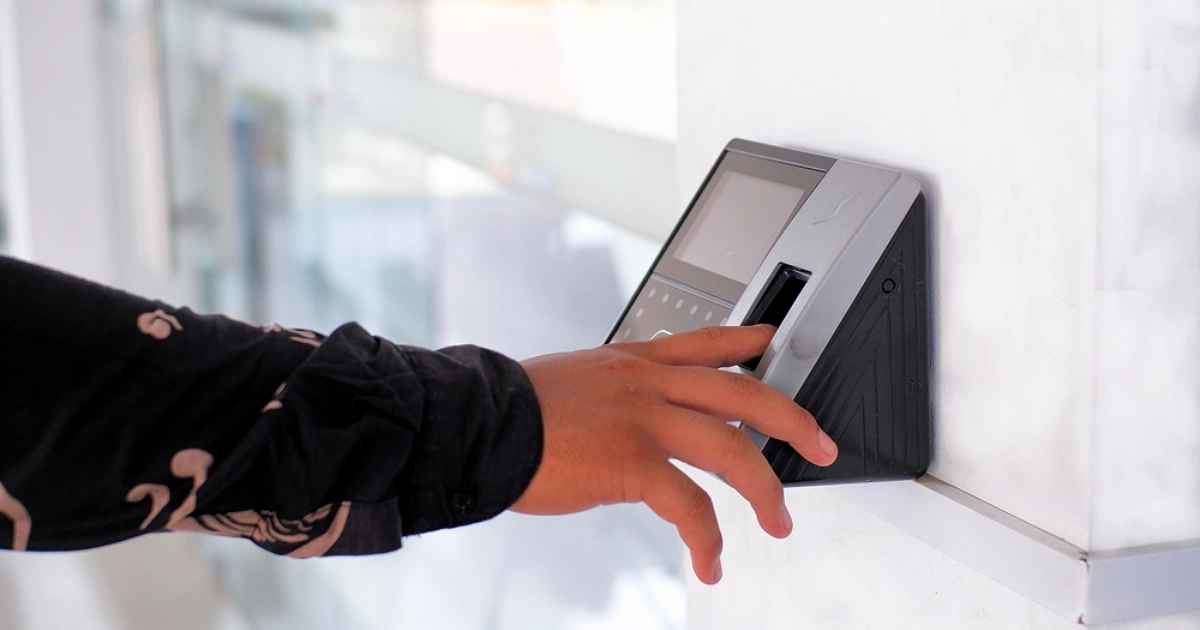
A fingerprint attendance machine is a biometric device that records when employees arrive and leave work. Instead of signing a register or swiping a card, employees place a finger on a sensor. The machine reads their fingerprint, confirms identity, and logs the time automatically.
It is a core part of any modern time attendance system. It eliminates manual data entry, prevents errors at the source, and gives HR teams clean data for payroll automation, leave management, and overtime tracking.
Find out how your complete HR process aligns with smart access control devices built for businesses of every size.
What Are the Key Components of a Fingerprint Attendance Machine?
- Fingerprint Scanner / Sensor: Captures the fingerprint image when an employee touches the device. Optical and capacitive are the two main types available in the market.
- Microprocessor and Matching Algorithm: Processes the scanned image and compares it against stored templates to confirm identity in under a second.
- Internal Memory and Storage: Keeps attendance logs and fingerprint patterns on the device itself. Most machines may store between 500 and 10,000 templates.
- Display Screen and Keypad: Gives real-time feedback, including employee name and clock-in time, and supports manual input when needed.
- Communication Ports (USB, LAN, Wi-Fi, RS485): Connects the machine to computers, networks, or cloud systems for data sync.
- Attendance Management Software / Dashboard: Most systems support attendance API connections to enterprise HR and payroll platforms.
- Power Supply and Backup Battery: A dedicated power source keeps the entire system running during outages. This ensures no attendance records are lost during power cuts.
How It Works: From Finger to Attendance Log
The procedure is easier than you think. When an employee touches the sensor, their clock-in is recorded, all under one second. This is precisely what takes place over that period.
Fingerprint Scanning
The employee places their finger on the sensor, and the scanner gets to work right away. It captures a detailed image of the fingerprint surface, picking up the ridges, loops, and patterns that make each person’s fingerprint unique.
Image Processing
The raw scan is not utilized exactly as it is. First, the built-in microprocessor cleans up the image by filtering out any background noise and sharpening the ridges, making the data clear and ready for precise analysis.
Feature Extraction
Next, the system looks for specific points in the fingerprint known as minutiae. These are spots where ridges either end or split into two. Using these points, the system builds a compact mathematical template rather than storing an actual picture of the finger.
Storage of Fingerprints
During the initial setup, the device saves this mathematical map for each employee. No real image of the fingerprint is ever stored on the device. This approach is intentional as it protects personal data and gives both employers and employees peace of mind around privacy.
Matching Method
Every time someone clocks in, the scanner compares their live fingerprint against the saved template. A successful match records the attendance almost instantly. If the scan does not closely match the stored data, the employee is simply asked to try again.
How Is Fingerprint Data Stored and Secured?
A complete knowledge of how a fingerprint attendance system operates extends to the protection of employee information at every level.
Fingerprint attendance machines do not store actual fingerprint photos. They store encrypted mathematical templates that cannot be reversed into a real fingerprint. Many enterprise-grade devices follow ISO/IEC 19794 biometric data standards, which govern how biometric data is stored and transferred securely.
Data is sent over encrypted connections when linked to a cloud or network. Role-based access restrictions ensure that only authorized HR personnel may see or export records. These systems are a secure option for any business.
What Types of Fingerprint Attendance Machines Are Available?
Understanding what a fingerprint attendance machine is at a functional level is the starting point. Selecting the right deployment model is the next step, and that decision depends on workforce size, physical locations, and IT infrastructure.
Standalone Fingerprint Attendance Machines
These machines work completely on their own without needing any internet or network connection. The attendance information is kept on the device and downloaded manually through a USB drive as required. They are simple to set up and a good fit for small offices that operate from a single location.
Network-Based (LAN / Wi-Fi) Attendance Systems
These machines connect to your office network and sync attendance data automatically to a central server. There is no need to collect data by hand. They work well for mid-size companies that have multiple departments or teams working under one roof.
Cloud-Based Fingerprint Attendance Systems
With these systems, attendance data is sent to the cloud the moment someone clocks in. HR managers can check reports and track attendance from anywhere at any time. They are a great choice for growing businesses that want full visibility into their workforce without being tied to a single location.
Multi-Biometric Systems (Fingerprint + Face + RFID + PIN)
These systems give employees more than one way to verify their identity. If a fingerprint scan fails due to a cut, dirt, or worn-out skin, staff can simply use face recognition, an RFID card, or a PIN instead. They are a reliable option for workplaces where fingerprint scanning alone does not always work well.
Wired vs. Wireless Fingerprint Attendance Machines
Wired machines stay connected at all times and are harder to tamper with, making them a more secure choice. Wireless models are easier to install and can be placed almost anywhere in the office. The right option really comes down to your office layout and how your IT setup is already arranged.
What Are the Benefits of Using a Fingerprint Attendance Machine?
Businesses that switch to biometric authentication through fingerprint attendance systems often see results fast. If you are still evaluating how a fingerprint attendance machine works in practice, the benefits below outline its direct business impact.
According to Nucleus Research, buddy punching costs employers an estimated 2.2% of gross payroll each year. A fingerprint attendance machine eliminates this since only the real employee can clock in using their own fingerprint.
- Eliminates Buddy Punching: No one can punch for another person using a fingerprint.
- Accurate Payroll Automation: Attendance data flows directly into payroll software, cutting manual errors.
- Real-Time Monitoring: HR can see who is present at any moment without waiting for end-of-day reports.
- Less Admin Work: Automated logs mean less manual data entry and more time for real HR tasks.
- Secure Records: Safe Record Keeping: Records cannot be changed afterwards, which streamlines audits and speeds up dispute resolution.
- HR Software Integration: Most systems support attendance API connections to popular HR and payroll platforms.
- Saving Cost: Businesses can progressively save money by cutting paper records, manual overtime checks, and payroll errors.
- Better Employee Accountability: When staff know attendance is tracked automatically, late arrivals and long breaks drop.
- Paperless Operations: Going digital means less paper waste and a lighter administrative load.
Looking to connect your attendance data to a smarter platform? Flowfiz makes HR and attendance management easy from day one.
What Are the Limitations of Fingerprint Attendance Machines?
No technology is perfect; hence, fingerprint devices are no exception. Here are three real difficulties to think about before you invest in one.
- Dirty or damaged fingers cause scan failures: Workers in food processing, construction, or chemical industries often struggle with failed scans. A system that also supports face recognition or RFID cards is a much better fit for these environments.
- Harsh conditions affect sensor accuracy: Extreme heat, dust, or humidity can all impact performance. Always check the IP rating and operating temperature range before buying a device for outdoor or industrial use.
- They don’t work for remote or hybrid teams: A fingerprint machine requires physical presence. For staff working from home, cloud-based HR software with mobile check-in is the right solution.
Fingerprint machines work great in the right setting. Just make sure your workplace actually fits that setting before committing.
Industries That Rely on Fingerprint Attendance Machines
Almost every sector uses fingerprint attendance systems. Companies utilize them to control large workforces; schools monitor students’ and personnel attendance. Factories utilize them for shift clock-ins. Whereas, retail stores manage part-time schedules. On the other hand, hospitals track nursing personnel throughout departments. Similarly, rugged outdoor versions are used at construction sites, while government facilities link them into larger security networks.
How Do You Choose the Right Fingerprint Attendance Machine for Your Business?
Choosing the right one for your business depends on three key factors.
- Team size and locations matter: A small office needs a basic standalone unit. A larger team spread across multiple sites needs a cloud-based system with centralized reporting.
- Pick the right scanner for your environment: Optical sensors work fine indoors. For factories or outdoor settings, capacitive or multispectral sensors handle wet and rough fingers much better.
- Check connectivity and software compatibility: Make sure the device works with your existing HR tools. Look for open API support so it connects smoothly to your payroll and leave management system. Flowfiz keeps all your workforce attendance data organized in one place.
Flowfiz keeps all your workforce attendance data organized and accessible in one place.
Frequently Asked Questions (FAQs)
Is a fingerprint attendance machine accurate?
Yes. Modern fingerprint attendance machines have a false acceptance rate below 0.001%, making biometric authentication highly reliable. If you are still asking what a fingerprint attendance machine is worth buying, the accuracy of this feature is one of the top reasons.
Can it store multiple fingerprints?
Yes. Most devices store 500 to 10,000 fingerprint templates and allow enrolling more than one finger per employee for added flexibility.
How does a fingerprint scanner work?
A fingerprint scanner captures the fingerprint image, extracts unique ridge data through fingerprint recognition, and matches it against a stored template to confirm identity in under a second.
Final Words
You now understand what a fingerprint attendance machine is and how a fingerprint attendance machine works, from the first scan to the attendance log. These devices stop buddy punching, automate payroll, support leave management, and give your HR team data they can actually trust.
Whether you run a small business or a large multi-site operation, there is a fingerprint attendance machine designed for your needs. The only question is how soon you want to stop managing attendance manually.
Contact FlowFiz to learn how a connected workforce management platform can extend the value of your attendance infrastructure.